


Ohaus Err 8.1, 8.2, 8.3, 8.4: What Do the Error Codes Mean?
The meaning of OHAUS error codes can vary by model. Find explanations for Err 8.1–8.4 on the Scout SPX and Defender 3000 / i-DT33, along with model-specific checks.

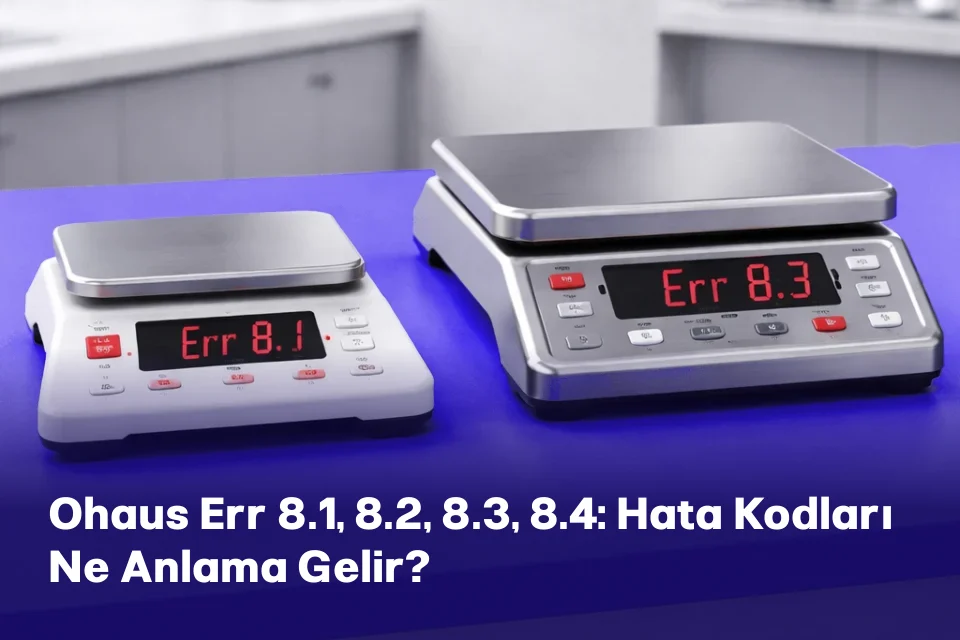
Since the checks for OHAUS error codes can vary by model, follow the instructions in the manual for your model. For the Scout SPX, error code pages associate Err 8.1 with a reading above the power-on zero range and Err 8.2 with a reading below it. Err 8.3 is described as an overload, while Err 8.4 is described as a missing or low load on some models. The meaning of these codes and the recommended steps are not the same for every OHAUS model.
First, identify the exact model of your scale and check its user manual. The explanations below are based on information on Terazibul's OHAUS error code pages.
Err 8.1: Above the power-on zero range
The Scout SPX Err 8.1 error code page states that the weight on the pan at power-on exceeds the initial zero range. If the pan is not empty or an object is touching it, the scale may not be able to set the initial zero.
- Remove all loads from the pan.
- Make sure nothing else is touching the pan.
- Turn the scale off and back on.
If the error persists with the pan empty, contact OHAUS service to check the calibration or load cell. You can review the Err 8.1 explanation.
For the Defender 3000 / i-DT33, the Error 8.1 page associates the error with a load left on the platform, something touching the platform, or calibration drift. Remove the load, make sure the platform is clear, and restart the indicator. If the error continues, follow the calibration recommendation in the model manual.
Err 8.2: Below the power-on zero range
The Scout SPX Err 8.2 error code page states that the weight measured at power-on is below the zero range. This warning may appear if the pan is not installed or is not seated correctly.
- Check that the pan is installed and seated correctly.
- Turn the scale off and back on.
If the error persists even though the pan is installed correctly, a service check may be needed. The Err 8.2 error code page provides an explanation and troubleshooting steps.
For the Defender 3000 / i-DT33, the Error 8.2 page associates the error with a signal below the expected deadload at power-on. Check that the platform top or pan is in place and seated correctly, then restart the indicator. If the error persists, follow the calibration recommendation in the model manual.
Err 8.3: Overload
The Err 8.3 error code pages for the Scout SPX and Defender 3000 / i-DT33 describe this code as an overload. The warning may appear if the load on the pan or platform exceeds capacity. The Defender 3000 / i-DT33 error code page states that the value cannot be displayed in this situation.
- Reduce the load immediately.
- Divide the load into portions that stay within the capacity limits.
- Do not drop the load onto the pan or platform or place it down with an impact.
The Scout SPX error code page states that the warning will clear when the load is reduced. The Defender 3000 / i-DT33 error code page recommends a service check for possible load cell damage if Error 8.3 persists after the load is removed. You can view the Err 8.3 error code details.
Err 8.4: Missing or low load
The Scout SPX Err 8.4 error code page states that the measured value is below the weighing range. The manual associates this condition with the pan being removed. Install the pan, check that it is seated correctly, and zero the scale.
The Defender 3000 / i-DT33 Error 8.4 error code page states that the signal is below the permitted lower limit. Check that the platform is in place and clear, then zero or restart the indicator. If the error persists, follow the calibration recommendation in the model manual. You can also review the Err 8.4 error code explanation.
When is a service check needed?
If the error persists after basic checks while the pan or platform is correctly positioned, a service check may be needed. An error code alone does not conclusively identify a faulty part.
Terazibul provides OHAUS scale sales, technical service, calibration, and adjustment services in Üsküdar / Istanbul. Fault diagnosis is completed within 24 hours after the device reaches Terazibul. Within Istanbul, the device can optionally be collected from your location free of charge and delivered in person. The service warranty covers the work performed and the parts replaced for 6 months. It does not cover the entire device.
Frequently Asked Questions
Do Err 8.1 and Err 8.2 appear at power-on?
For the Scout SPX and Defender 3000 / i-DT33, the Err 8.1 and Err 8.2 error code pages associate these codes with power-on zero limits. Check the manual for your exact model, since explanations and troubleshooting steps may vary by model.
Does Err 8.3 mean overload?
The Err 8.3 error code pages for the Scout SPX and Defender 3000 / i-DT33 describe this code as an overload. Reduce the load and make sure it stays within the scale's capacity.
What should I check first for Err 8.4?
The Err 8.4 error code pages include checks to make sure the pan or platform is positioned correctly. If the problem persists, consult the error code explanation for your model and contact service support.
Conclusion
Based on the explanations on the Scout SPX and Defender 3000 / i-DT33 error code pages, first check the pan or platform at power-on for Err 8.1 and 8.2, the load for Err 8.3, and the possibility of a missing or low load for Err 8.4. Remember that codes can vary from one model to another. For model-specific instructions, see the OHAUS error code guide. If the error persists after basic checks, visit the OHAUS scale technical service page or submit a service request form.



 Buy-Back Eligible Product
 Warranted Refurbished Scales
 Trade-In Eligible Product

Comments (0)