


What Do UL and OL Errors Mean on a Scale? Causes and What to Do
The UL and OL warnings on a scale are mostly related to underload and overload conditions. Since their meanings and fixes can vary by model, first check the weighing pan, the load and the user manual.


Seeing a UL or OL warning on the scale display can leave you unsure whether you can keep weighing. These indicators are mostly associated with underload and overload conditions. However, UL and OL are not universal error codes defined in the same way for all brands and models.
For this reason, do not treat the letters on the display as a fault diagnosis on their own. Check the user manual for your scale model and follow the basic steps below. If the warning continues even with an empty pan, get technical support without forcing the instrument.
What does OL mean on a scale?
OL usually stands for "overload". The total weight on the pan may have exceeded the permitted weighing capacity of the scale. In this case, first reduce the load on the pan or remove it completely. Do not continue weighing while the overload warning is showing.
Remember that the load is not made up of the item to be weighed alone. If there is a container or other object on the pan together with the product, include them when you assess the total load. If you are not sure of the capacity value, check the label on the scale and the user manual.
What does UL mean on a scale?
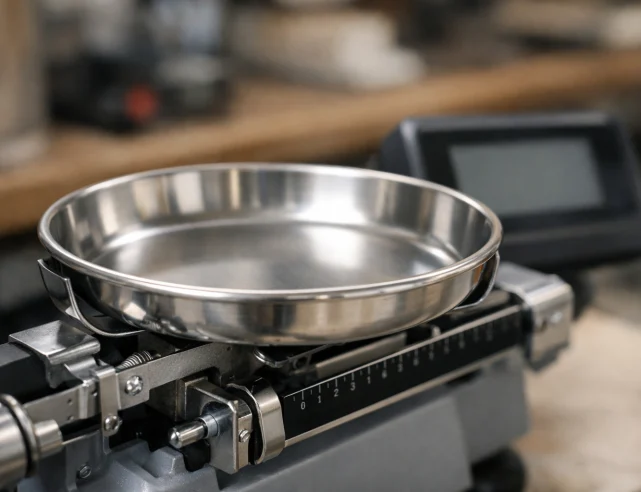
UL usually refers to "underload", meaning an insufficient load. This warning does not always mean the object being weighed is too light. The pan may not be seated correctly, may not be able to move freely or may be touching a surface around it.
On some models, having a weight on the pan while the scale is starting up can also trigger the warning. If the pan is supposed to be empty when you switch the instrument on, remove any objects from it. Then check that the pan sits properly in place and can move without rubbing against another part.
What should you do with a UL or OL warning?
- Note when the warning appears. Observe whether it shows while the scale is starting up, when you place a load or on an empty pan. This information helps you find the right explanation in the manual.
- For an OL warning, reduce the load. Check that the total load on the pan does not exceed the capacity of the scale. If the display does not return to normal after you remove the load, do not keep using the instrument.
- For a UL warning, inspect the pan and its surroundings. Check that the pan is in place and correctly installed, that it moves freely and that it does not catch on another surface. If there is a load on the pan during start-up, remove it.
- Place the load carefully. Put the object in the center of the pan. Avoid impact, avoid concentrating force on a single point and avoid putting a sideways load on the pan.
- If the warning continues on an empty pan, stop. If removing the load and trying again is not enough, follow the troubleshooting steps for your model. Do not take the scale apart or tamper with its internal parts.
These checks do not determine the cause of the warning with certainty in every case. If the indicator persists, the measurement is unstable or you notice a physical problem with the instrument, stop weighing and get technical service support. You can learn about the scope of services on Terazibul's scale technical service page and use the service request form.
Is UL or OL a sensor failure?
These warnings on their own do not mean there is a sensor or electronic board failure. Simpler causes should also be checked, such as exceeding the capacity, the position of the pan, the pan's movement being obstructed or a weight being on the pan during start-up. If the problem continues after the basic checks, a technical inspection may be needed.
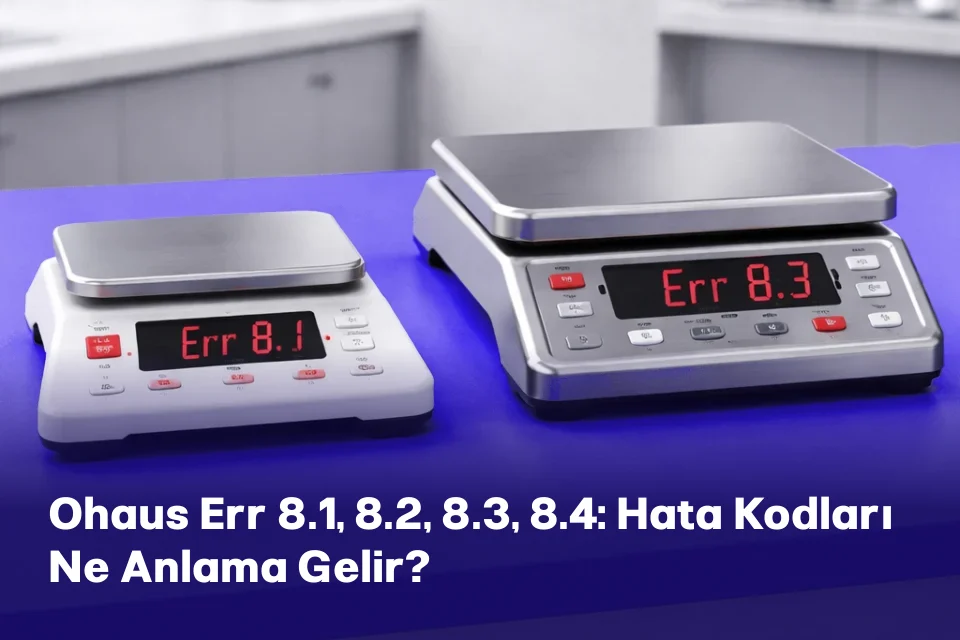
Since the explanation of error codes can vary by brand and model, the manufacturer's information matters. If your scale is a Mettler Toledo or RADWAG, you can also look at the relevant Mettler Toledo error codes and RADWAG error codes pages. For other brands, see the scale error codes guide.
Frequently Asked Questions
Does UL mean I need to put a heavier load on the pan?
Not always. Although UL is generally explained as underload, the pan may be installed incorrectly, its movement may be blocked or it may be rubbing against another surface. First check the position of the pan and its surroundings.
Can I keep using the scale with an OL warning?
No. Reduce or remove the load on the pan and do not weigh while the warning is showing. If the warning continues on an empty pan as well, follow the manual for your model or get technical service support.
Does a UL or OL message show the inspection status of the scale?
This message alone does not say anything about the inspection status of the scale. For weighing instruments in commercial or official use, assess the error indicator separately from the applicable inspection obligations.
Conclusion
On a scale, OL can generally be related to a load exceeding capacity, while UL can be related to an underload condition or to the movement and position of the pan. These are not universal codes used in the same way on all instruments. First check the load, the capacity and the free movement of the pan, then proceed according to the model manual. If the warning continues on an empty pan as well, do not force the instrument and get technical service support.

 Buy-Back Eligible Product
 Warranted Refurbished Scales
 Trade-In Eligible Product

Comments (0)